
A little later than planned, work keeps getting in the way, but here is Part3a – Availability Characteristics
In Part1 we saw how partitions form the basic building blocks of PBHA, how to create and manage partitions, some considerations for “getting it right” on day1 and how to make the partition and its objects into a Highly Available Partition.
In Part2 we looked at the different types of HA deployment that are possible, from full HA, to HA storage and to DR like HA – including different host access modes, such as uniform and non-uniform.
In these final part(s) we look at how each of the types defined in Part2 handle different failure scenarios. So lets get into it…
[I had originally planned to cover all deployment types here, but the post was too long, Part3 will be in itself 3a,b,c]
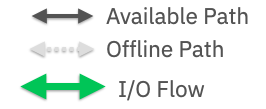
Legend :
Part3a – Comparing Availability – Active/Active Clustered Hosts
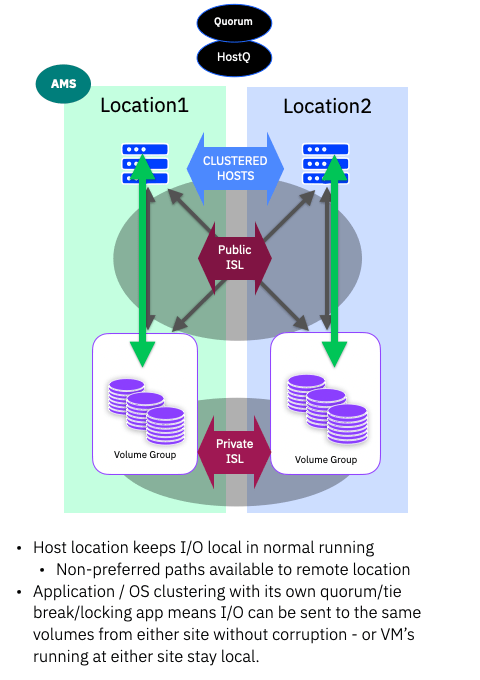
Normal Running
When everything is running normally, all I/O from the hosts should stay “local” – i.e. when you have setup your host “location”, the system will report optimised (preferred) paths from the system to hosts in that location. Non-optimised (non-preferred) paths will be reported over the Public-ISL from the system in the other location.
Note: The location is actually the name of each respective system. Where previous HA solutions were really “split or stretched clusters/systems”, now that PBHA uses independent systems that are partnered rather than clustered, we don’t need a generic site1, site2 definition as the name of the system implies the location/site.
As with all HA solutions, no matter the vendor, one system has to own and co-ordinate write ordering. With PBHA the responsibility lies with the AMS system. No matter which location accepts a write, we always have to mirrored the data between both systems (to maintain HA synchronisation!) The data mirroring happens only once, no matter which location the write is sent to.
Storage Failure
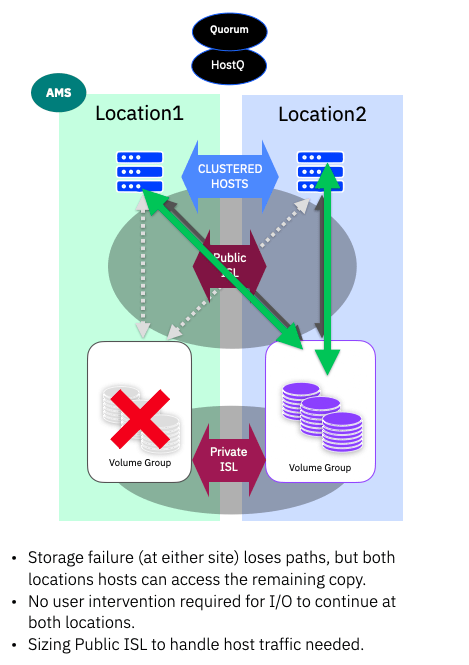
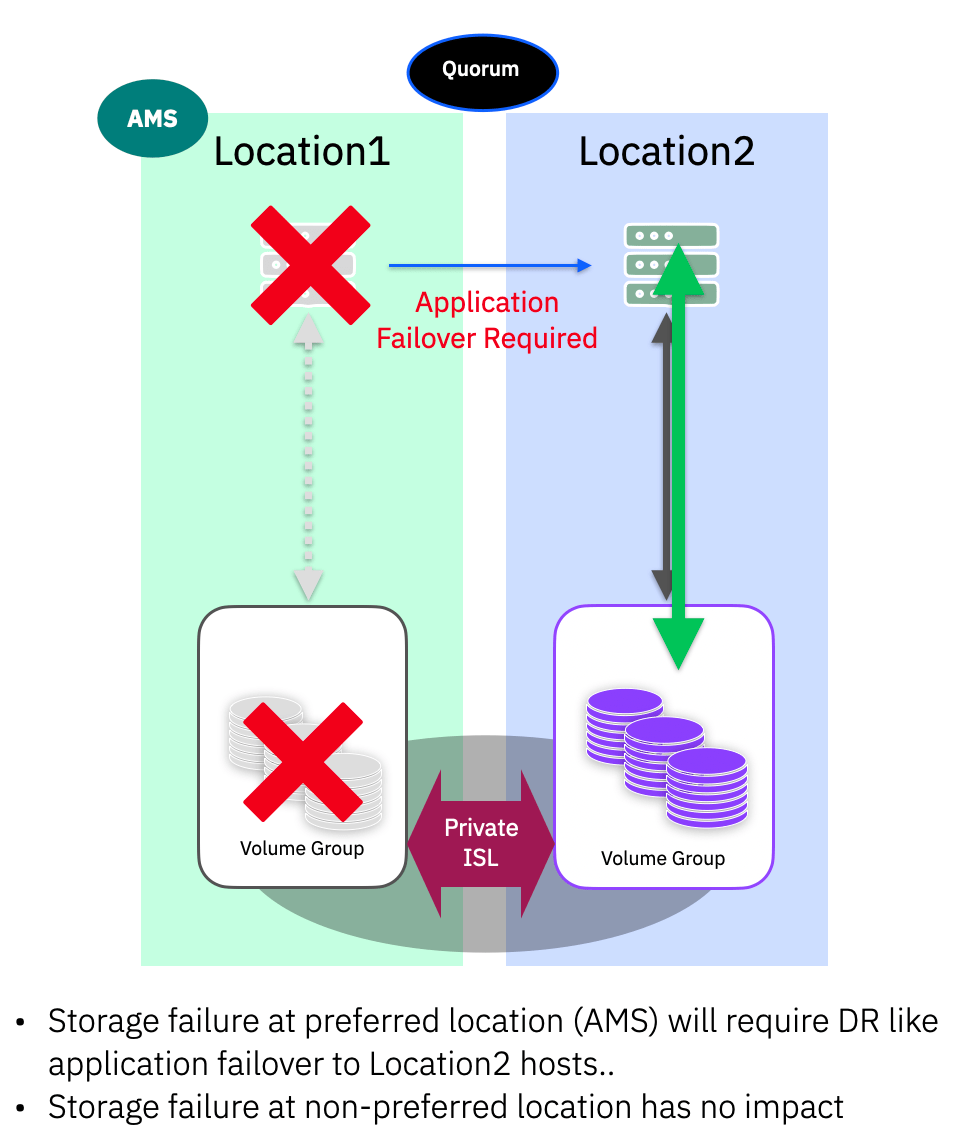
In the case of a storage failure, this could be the system as a whole (power issue for example) or multiple-drive failures that cause a pool to go offline, the host at the same location will simply lose some optimised paths. As we have uniform host configurations, the host multi-pathing simply starts using the non-optimised paths. No user intervention is required for I/O to continue at both locations.
Depending on the Public-ISL bandwidth and the distances involved, some impact to latency should be expected – simply a matter of the speed of light!
When the storage issue is resolved, the system will automatically return to full redundancy and the multi-pathing will revert to using the optimised paths.
ISL Failure / Split brain
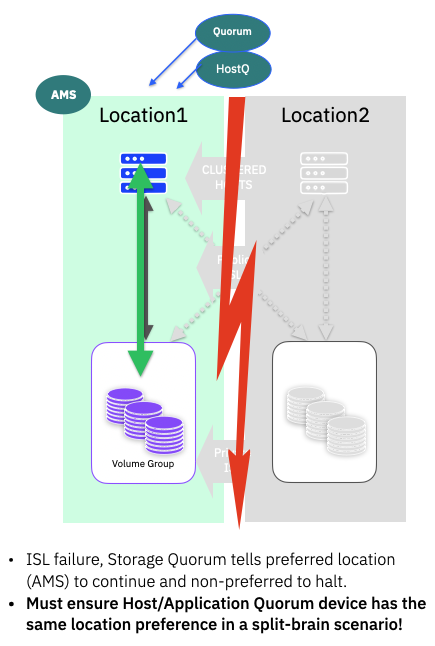
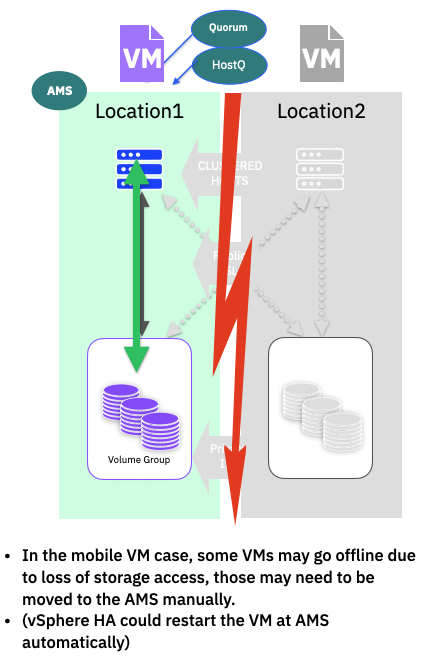
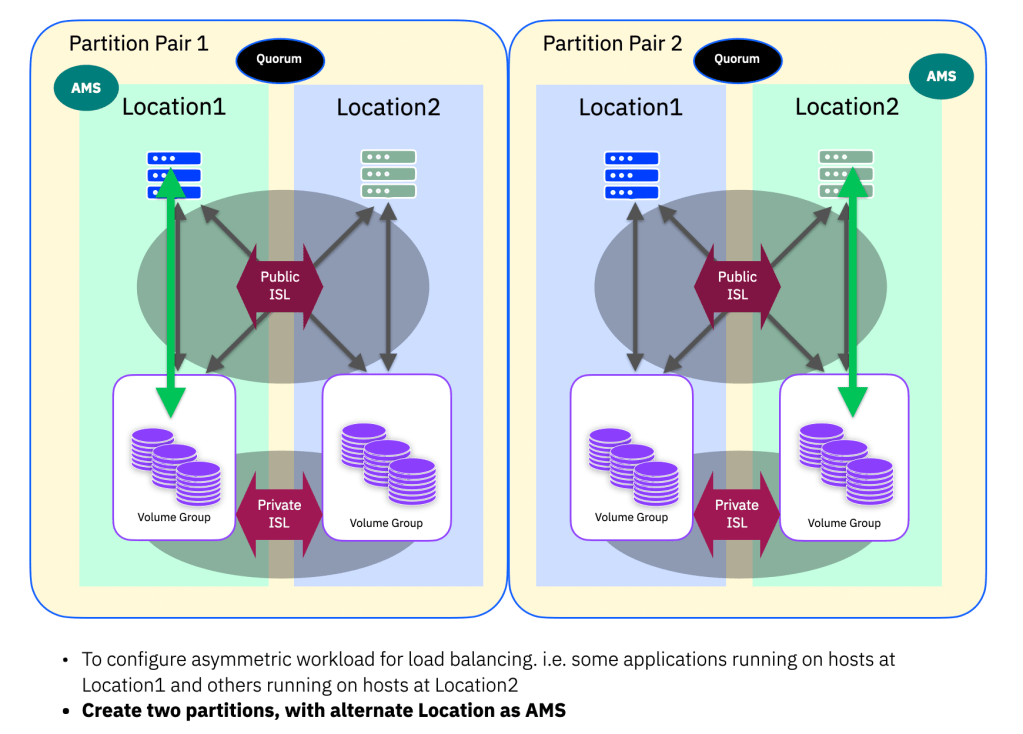
If the two storage systems lose contact with each other, then the IP Quorum is used to validate that both systems are still online. The AMS will be instructed to continue and the other system will take the paths to the volumes in the partition offline. Quorum is assessed on a per HA-partition pair basis, always following which location is the AMS for a given pair. (Unless of course one of the storage systems has of course failed – in that case the remaining system will continue as described in the previous section)
In this situation, because we are running active/active clustered applications or OS, care should be taken to ensure that any preference that can be applied to the “HostQ” witness/quorum device matches the AMS! You want both to make the same decision clearly!
If you are running a clustered hypervisor, where individual VMs could be running at either site, manual movement of any VMs that were running at the non-AMS location may be required. If you are using VMware, with vSphere HA configured then it can be configured to automatically restart the VMs at the AMS.
Part 3b will be posted soon looking a the same failure scenarios with Active/Passive host configurations, and the final final part 3c will look at the DR like configurations.

 Barry Whyte and Andrew Martin : IBM Storage
Leave a comment